BingeWise TV TRACKING AND RECOMMENDATIONS Sign in

AI-powered TV tracking that learns your taste

Know what to watch next, and why it fits you.

BingeWise uses AI to turn the shows you rate and track into recommendations grounded in your taste, then narrows them to the streaming services you use.

Track episodes, bring your history, follow releases, and keep every next-watch decision in one place.

Create a free account Sign in

No credit card required.

Works in any browser today. iOS app coming soon. Android app coming soon after.

01 Features

A tracker and an AI recommendation system that share the same memory.

What you watch, rate, skip, and choose to follow becomes context the AI actually uses, instead of a pile of disconnected lists.

01Personal recommendations

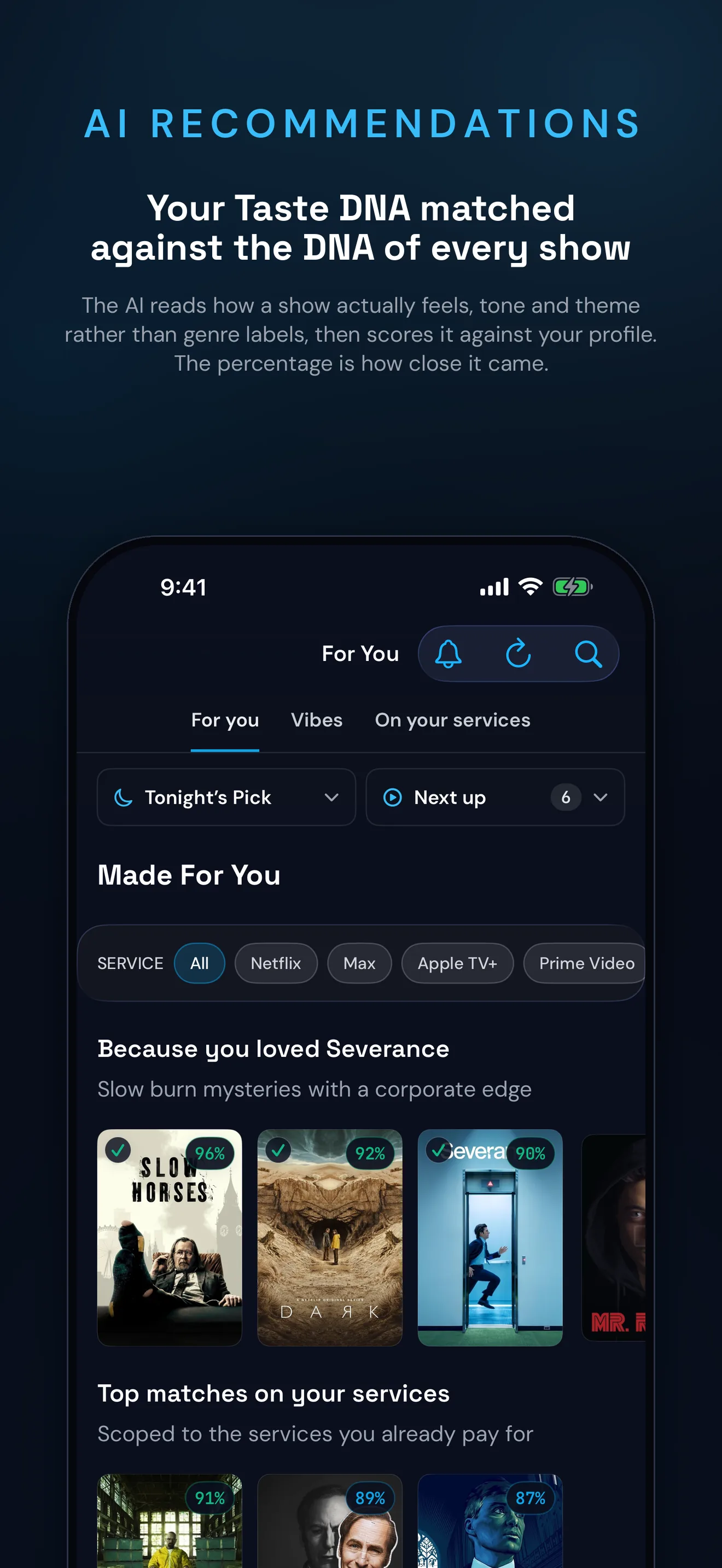
Picks based on your taste and your services

Open "Why this pick?" to see the actual connection: a cast member from a show you loved, a shared creator, matching themes, or a familiar feel. Scope the feed to one of your streaming services without losing the taste match.
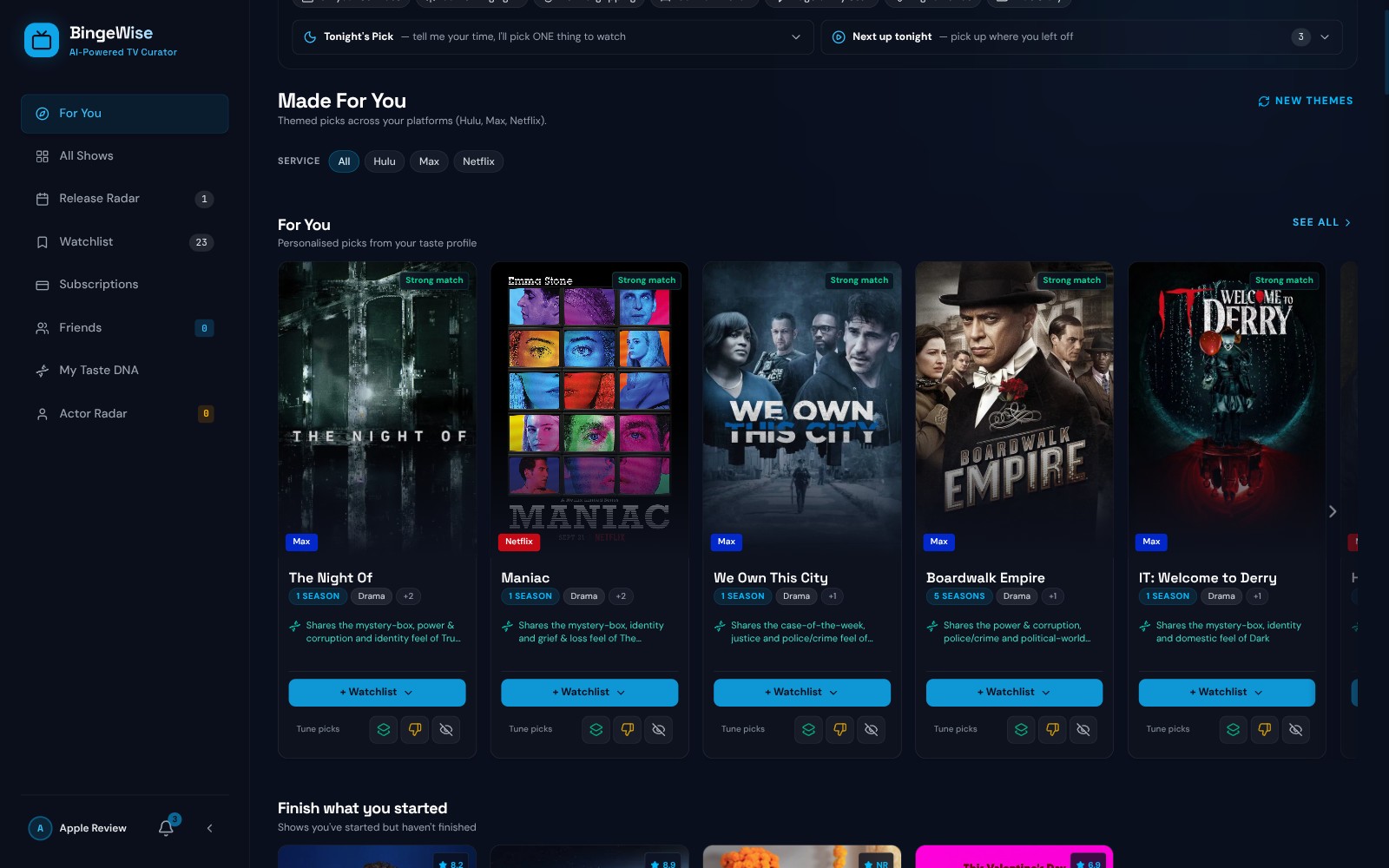
BingeWise For You page: themed recommendation rows with match badges and the taste connection behind each pick
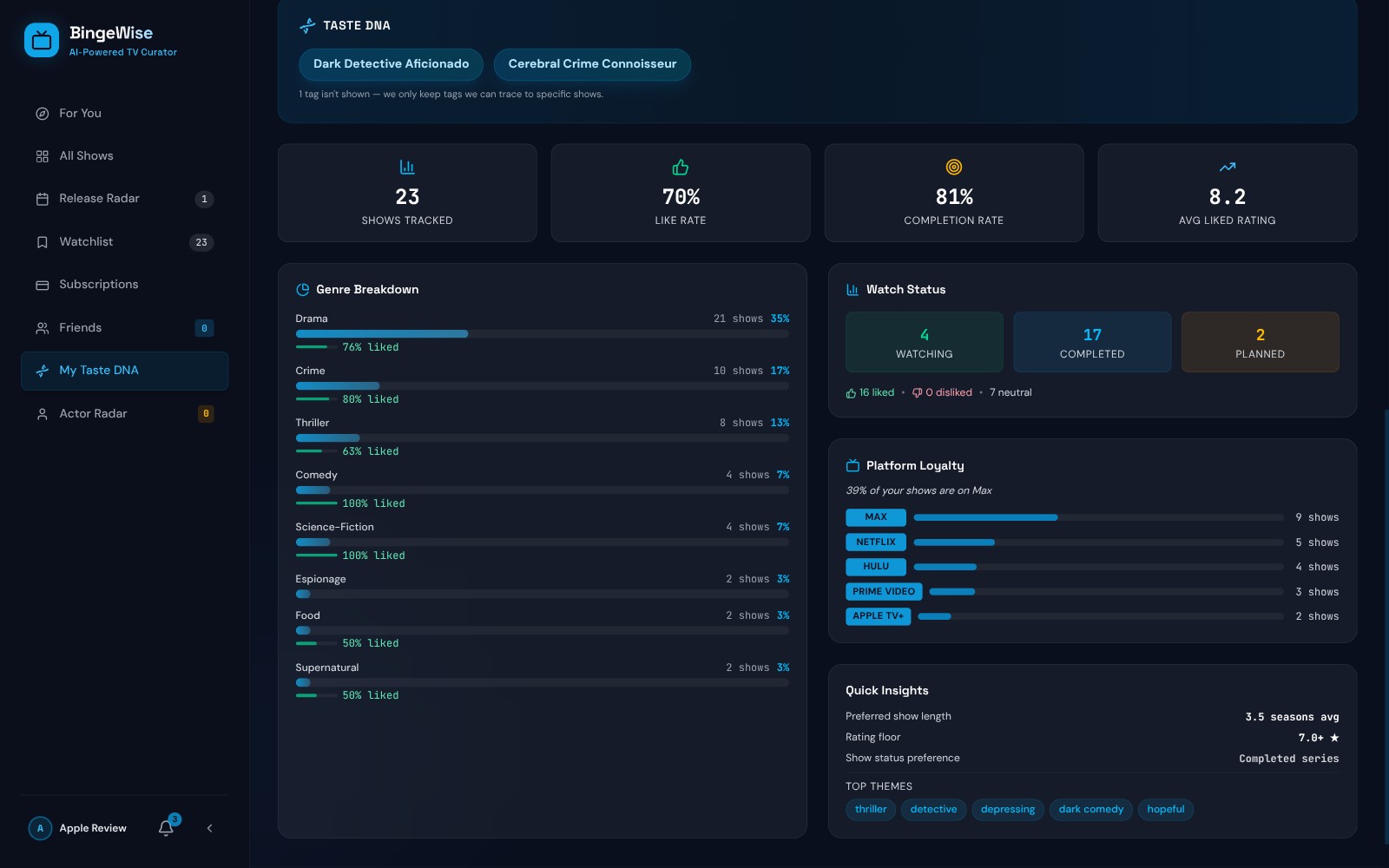
My Taste DNA page: AI taste profile with genre breakdown, watch stats, and top themes

02Taste DNA

AI that learns what feels like you

Rate a short, genre-diverse calibration deck, then see the themes and patterns the AI learns in your Taste DNA. Every show gets an AI-analyzed profile of its tone and feel, so matches go deeper than genre labels.

03AI on demand

Ask for a vibe, get a shortlist

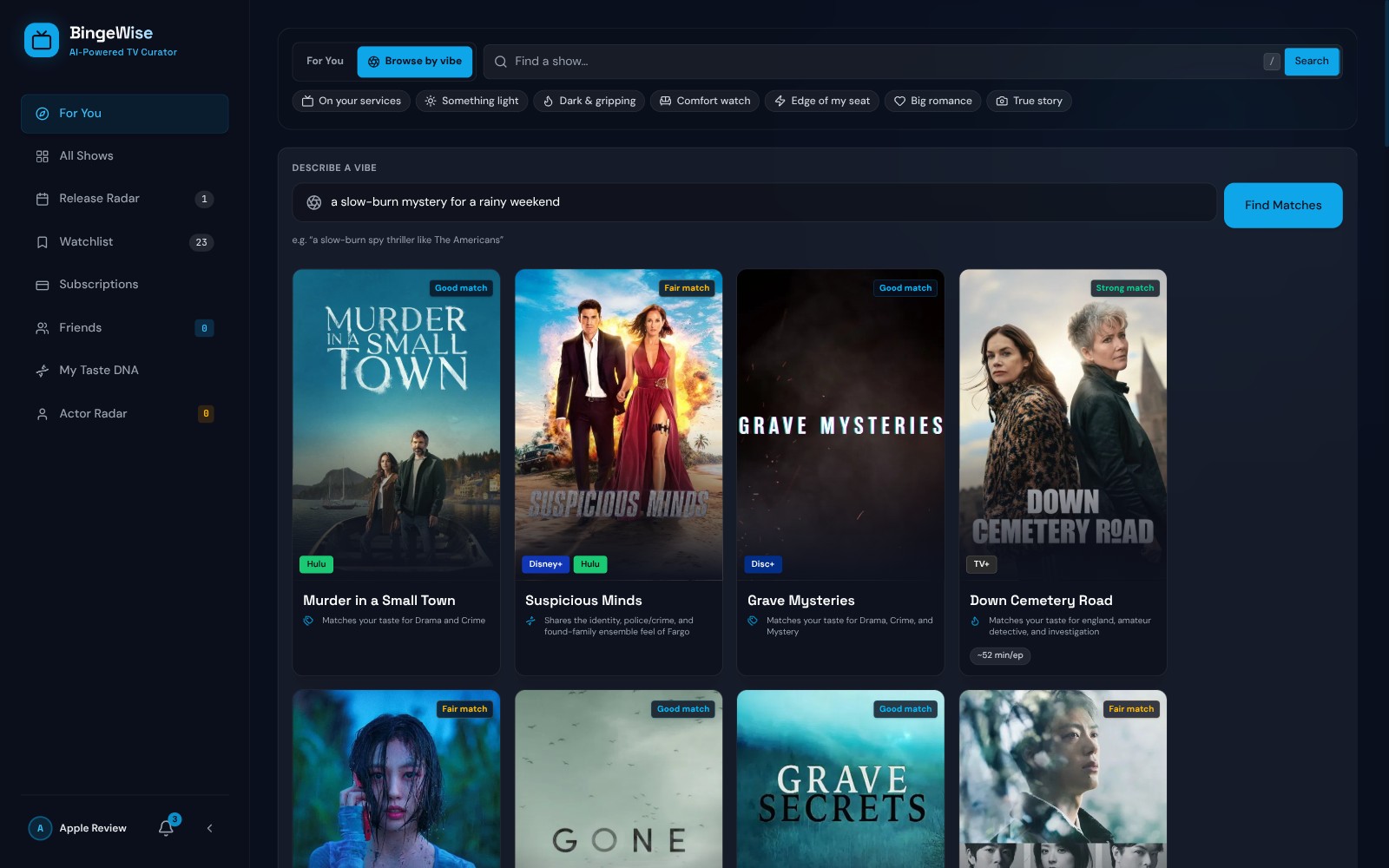
Ask BingeWise in plain words, like a slow-burn mystery for a rainy weekend. Let Tonight's Pick choose one thing to watch right now, and catch up on a season with an AI recap before a new episode drops.

Browse by vibe: a plain-words mood request returning a ranked shortlist of matching shows
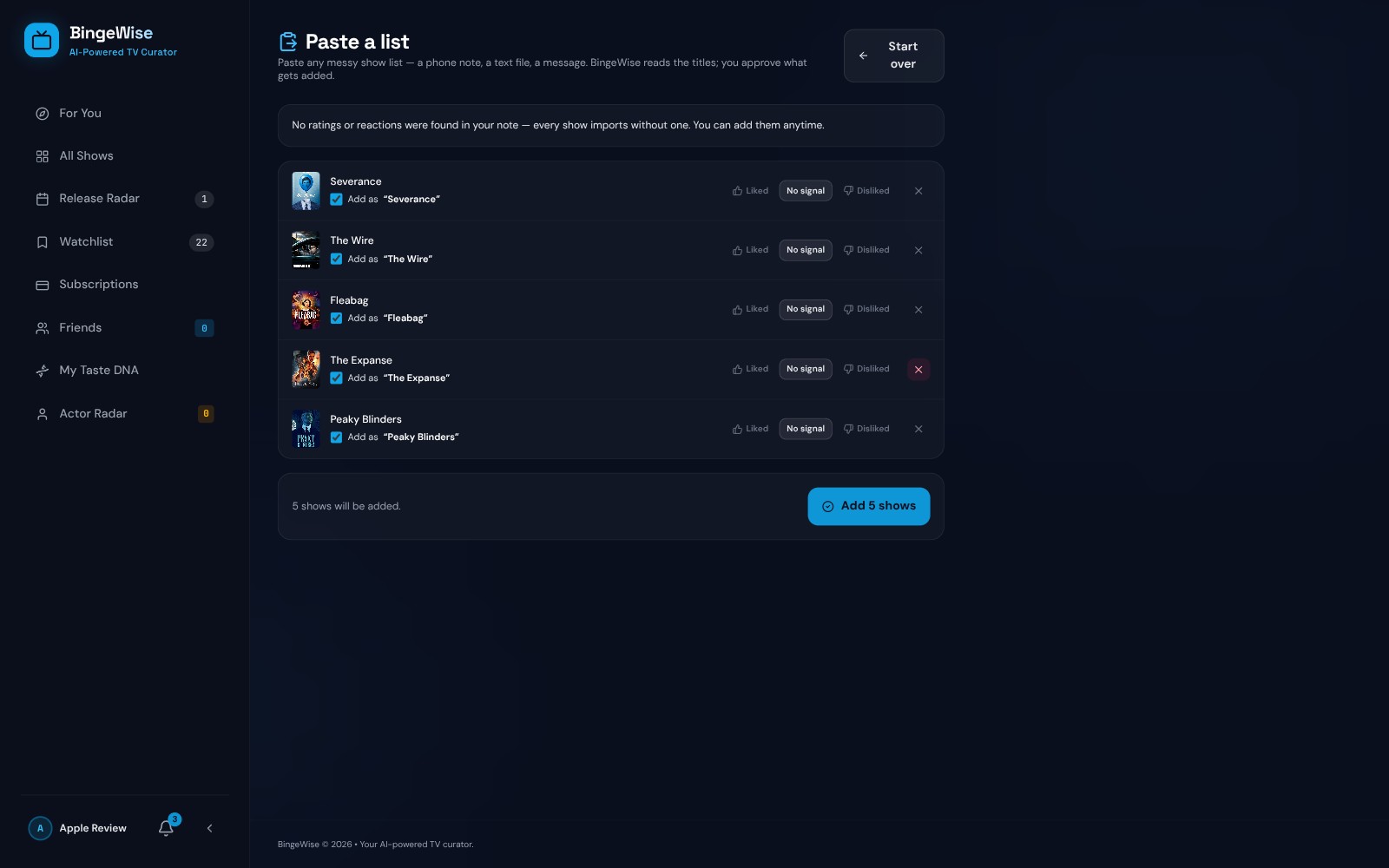
Paste a list import: titles read from a note with a reviewable match preview before anything is added

04Bring your history

Start with what you already watched

Import Netflix viewing activity or a TV Time export, or paste a messy notes-app list. Review the matches before committing them to your account.

05Release and actor radar

Follow the shows and people you care about

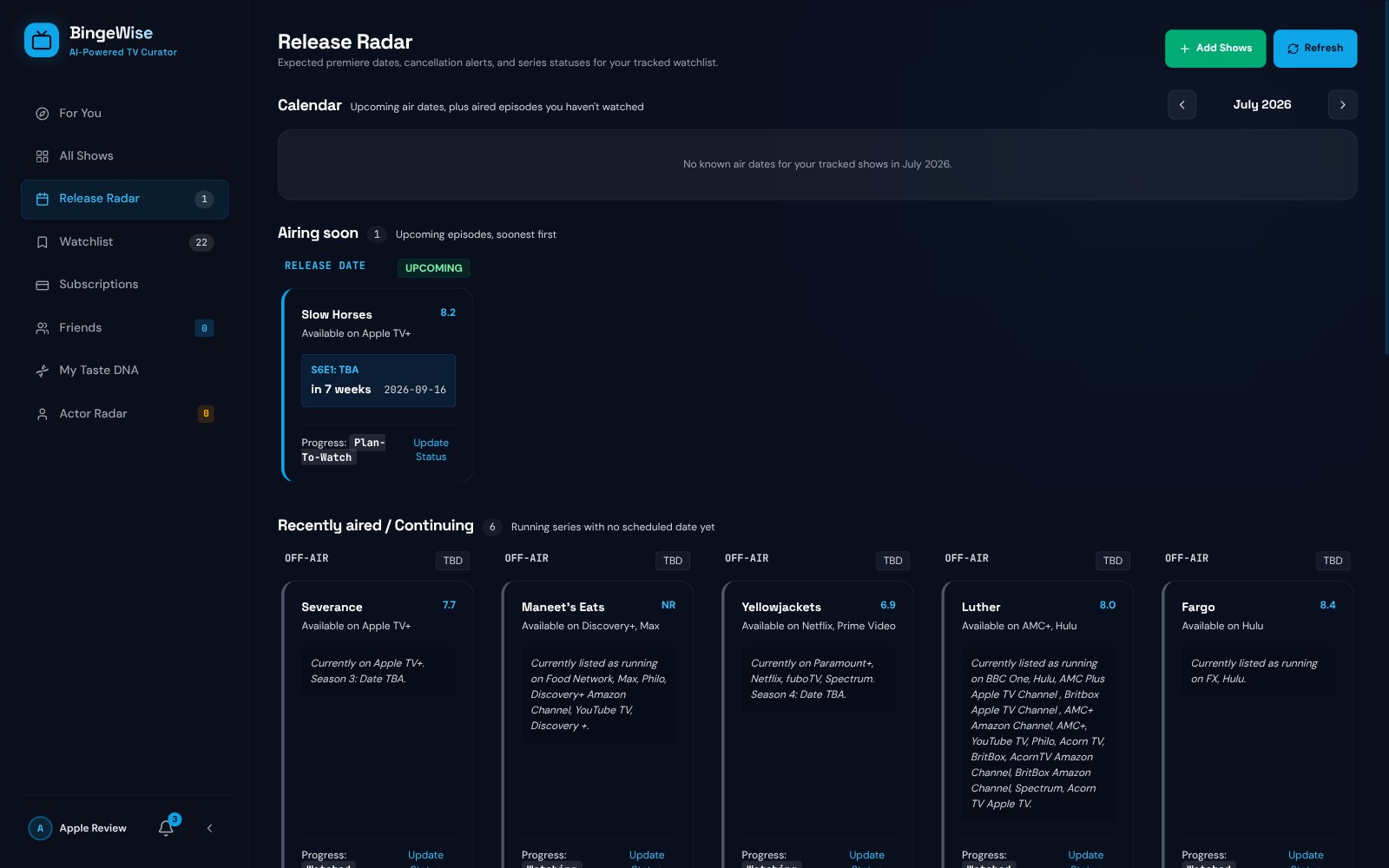
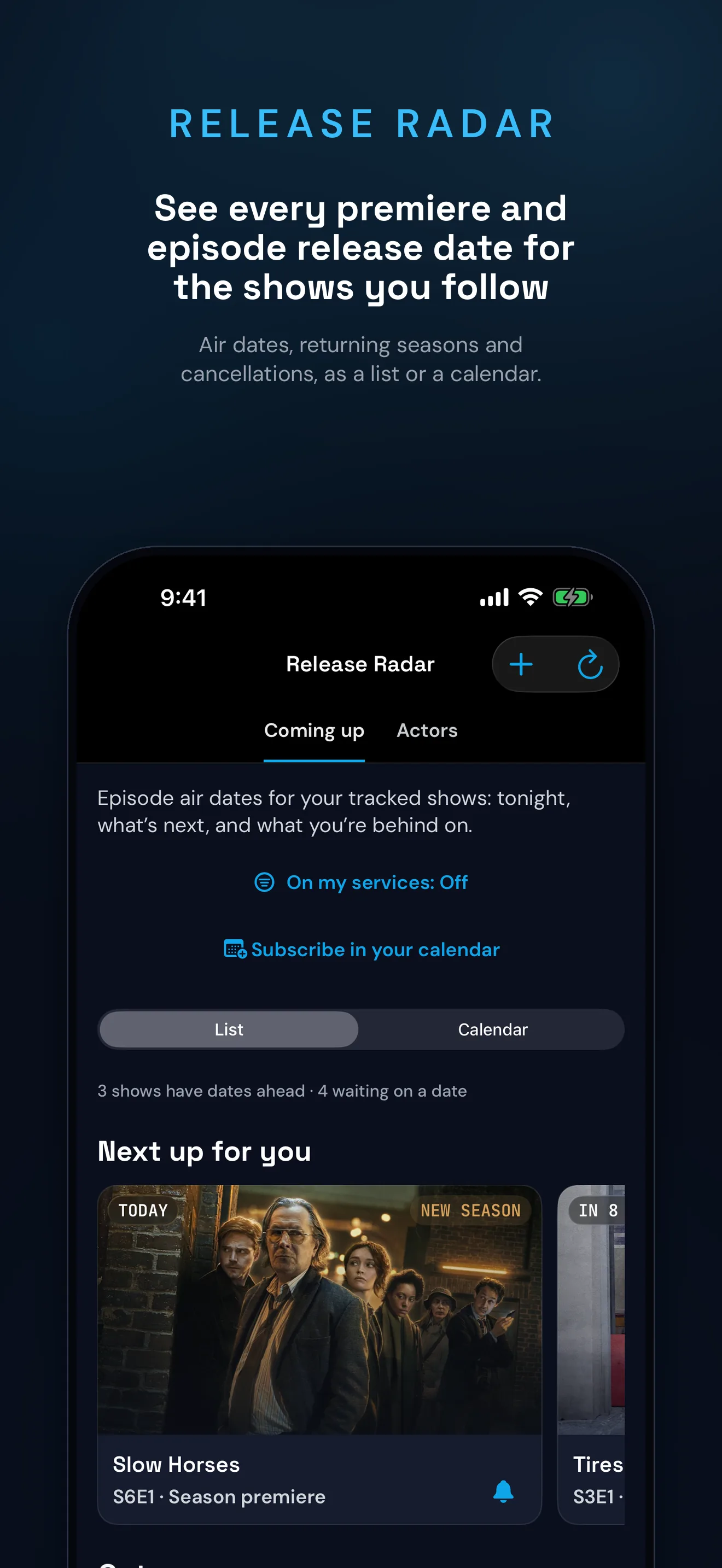
Release Radar organizes premieres, returning shows, and cancellations. Track actors separately and get a new-project alert when one joins an upcoming TV show.

Release Radar: upcoming air dates, returning series, and status changes for tracked shows
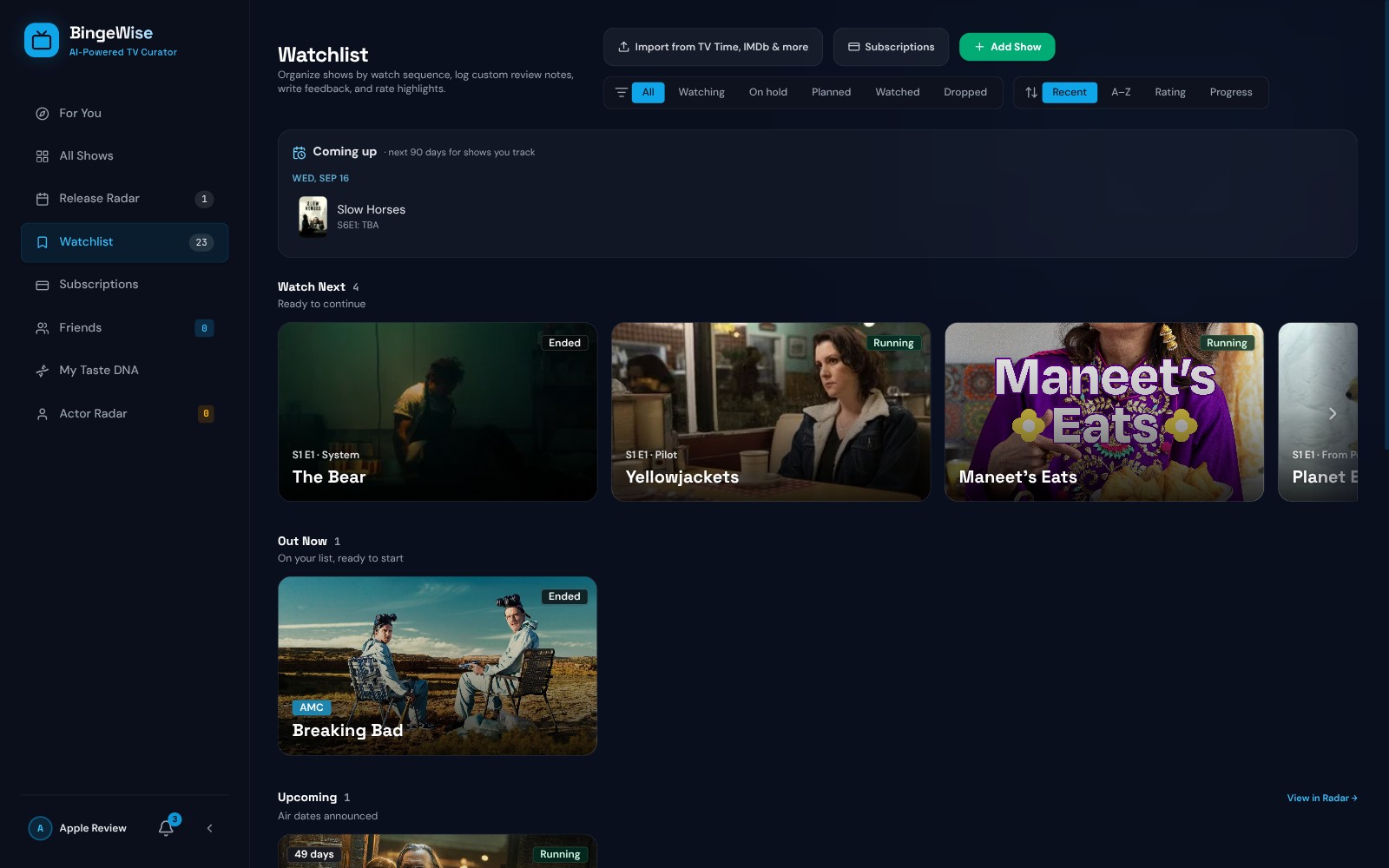
Watchlist: episode-level progress with what to watch next, out now, and upcoming sections

06Episode tracking and smart lists

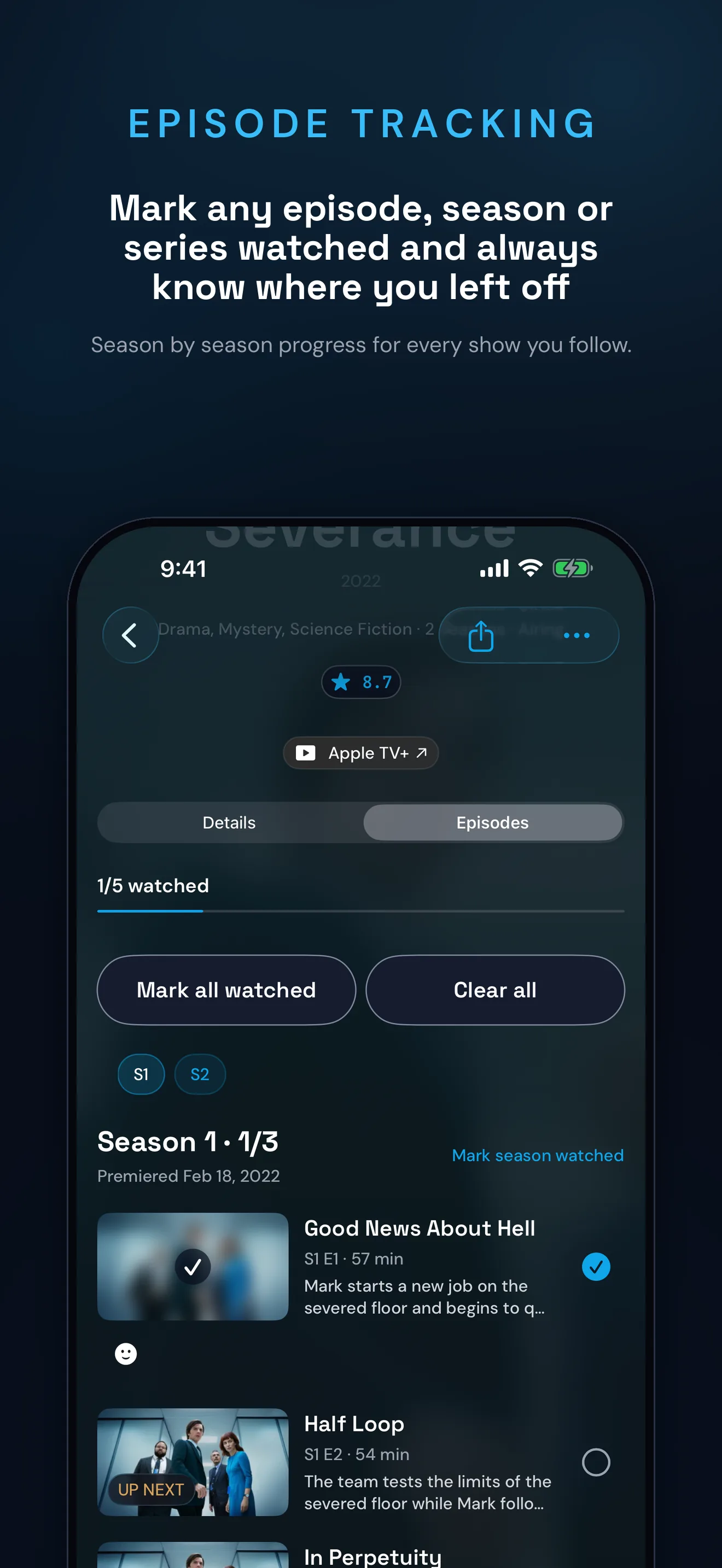
Always know where you left off

Mark an episode, a season, or a whole series watched. Build rule-based smart lists around status, genre, runtime, match level, and your services.

02 How it works

From an empty account to useful picks

  1. 01

    Onboard

    Create an account, choose your services, and bring your watch history if you have one.

  2. 02

    Calibrate

    Rate a short deck so BingeWise has real positive, negative, and not-seen signals.

  3. 03

    Get picks

    Browse matches, scope them to a service, and open "Why this pick?" for the evidence.

03 From TV Time

Coming from TV Time? Bring your shows with you.

TV Time shut down. The alternative most people are looking for is simple: keep the shows, keep the episode checkmarks, and do not start over. If you saved an export file, BingeWise imports it, free.

  • 01

    Import your export file

    Bring the file TV Time gave you, or the one from the GDPR request. BingeWise reads the shows you followed, your watch later list, and the shows you dropped. The file is parsed in your browser and is never uploaded.

  • 02

    Every episode, not just the show

    Your progress arrives as real episode checkmarks, so a half-finished season is still half finished. Ratings are the one thing that cannot come across, and BingeWise will not invent data you did not give it.

  • 03

    Then it does something with it

    An episode tracker on its own only remembers. BingeWise reads the history you brought as taste, then recommends shows on the services you already pay for and shows you the evidence behind each pick.

Move my TV Time shows Read the TV Time import guide

Never made an export? BingeWise also imports Trakt and IMDb files, and you can paste a plain list of titles and let it match them for you.

04 Pricing

Free to use, with a premium tier on the way.

BingeWise is free, and the free plan is here to stay. A Plus tier with extras is coming soon.

Free

No trial clock

  • Core TV tracking, episode progress, Release Radar, and actor tracking
  • Recommendations scoped to your services, plus the current Taste DNA and calibration tools
  • All imports and full-account export
  • Smart lists
  • Ask BingeWise, season recaps, and Tonight's Pick
Create a free account

Plus

Coming soon

Details at launch

  • Everything in Free, with higher limits on smart lists and AI features
  • AI Taste Genome: the deepest version of your taste profile, with trait-level analysis
  • Automatic streaming sync: link your services so your watch history keeps itself current
  • Unified continue-watching and cross-service list aggregation
  • Streaming-plan tools: rotation planner, renewal nudges, and a verified savings ledger
  • A weekly personal TV plan, exact-progress catch-ups, and a personal season diary
  • Wrapped: your full year-in-review story and watch-time insights
  • Home-screen widgets, alternate app icons, advanced recommendation controls, and priority support
Create a free account

Plus packaging and pricing will be announced when it launches. The free plan stays.

Your watch history should make the next choice easier.

Give BingeWise a few real signals, then see what it recommends and why.

Create a free account Sign in